Built with ADHD in mind

Knowing what to do was never the problem.

Orbit Alarm is a free Android alarm and reminder app built for people who know exactly what they need to do and still can’t start. Instead of a notification you can swipe away, it asks for one small physical action: get up, walk to the thing, scan it.

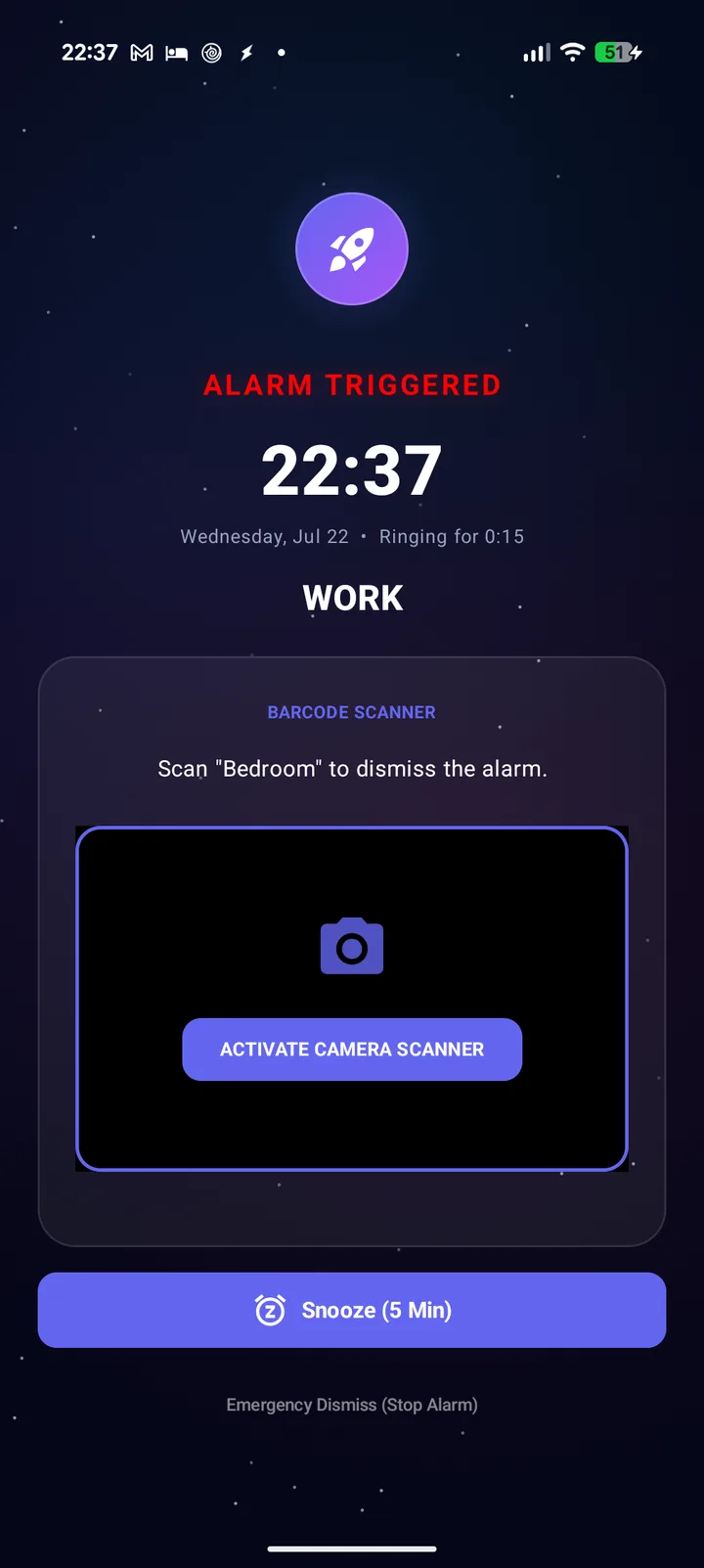
Orbit Alarm ringing, showing the barcode scanner challenge that must be completed to dismiss it

The problem it’s built around

Reminders are easy to ignore. Getting up is harder to argue with.

If you live with ADHD, executive dysfunction or task paralysis, you’ve probably had the reminder go off, read it, agreed with it, dismissed it, and then not done the thing. A reminder only tells you what to do. It doesn’t help you start.

Orbit Alarm is built around one idea: make the first step physical. You can’t dismiss a barcode-gated alarm or task from bed or from the sofa. You have to go to where the task is, and once you’re standing in front of it you’re already halfway through.

How the barcode gate works

Three steps, set up once.

No barcodes to hand? Print our free label sheet, with a unique QR code for each spot in your home.

  1. 01

    Pick a spot

    Choose an object where the task happens: the kettle, the washing machine, your medication box. Use any barcode already on it, or print one of our free labels.

  2. 02

    Attach it

    Save the code in Orbit Alarm, then link it to an alarm, a task, a timer step or your bedtime signal.

  3. 03

    Go there to switch it off

    When it goes off, the only way to stop it is to go and scan that exact code. A different barcode won’t do, and you can’t do it from across the room.

Where people put their codes

Put the code where the task is.

The scan gets you to the right place. What you do once you’re there is up to you, but you’re already standing in front of it.

Medication box

A daily reminder that won’t stop until you’ve walked to your meds.

Kettle

The first step of a morning routine, and a reason to get out of bed.

Washing machine

The load goes in before the reminder goes away.

By the front door

Scan it on the way out so you leave with your keys, bag and lunch.

Your desk

A work-start task that gets you sitting down, not just thinking about it.

Bathroom sink

An evening task that gets you to your toothbrush before bed.

Morning to night

The same idea, all day long.

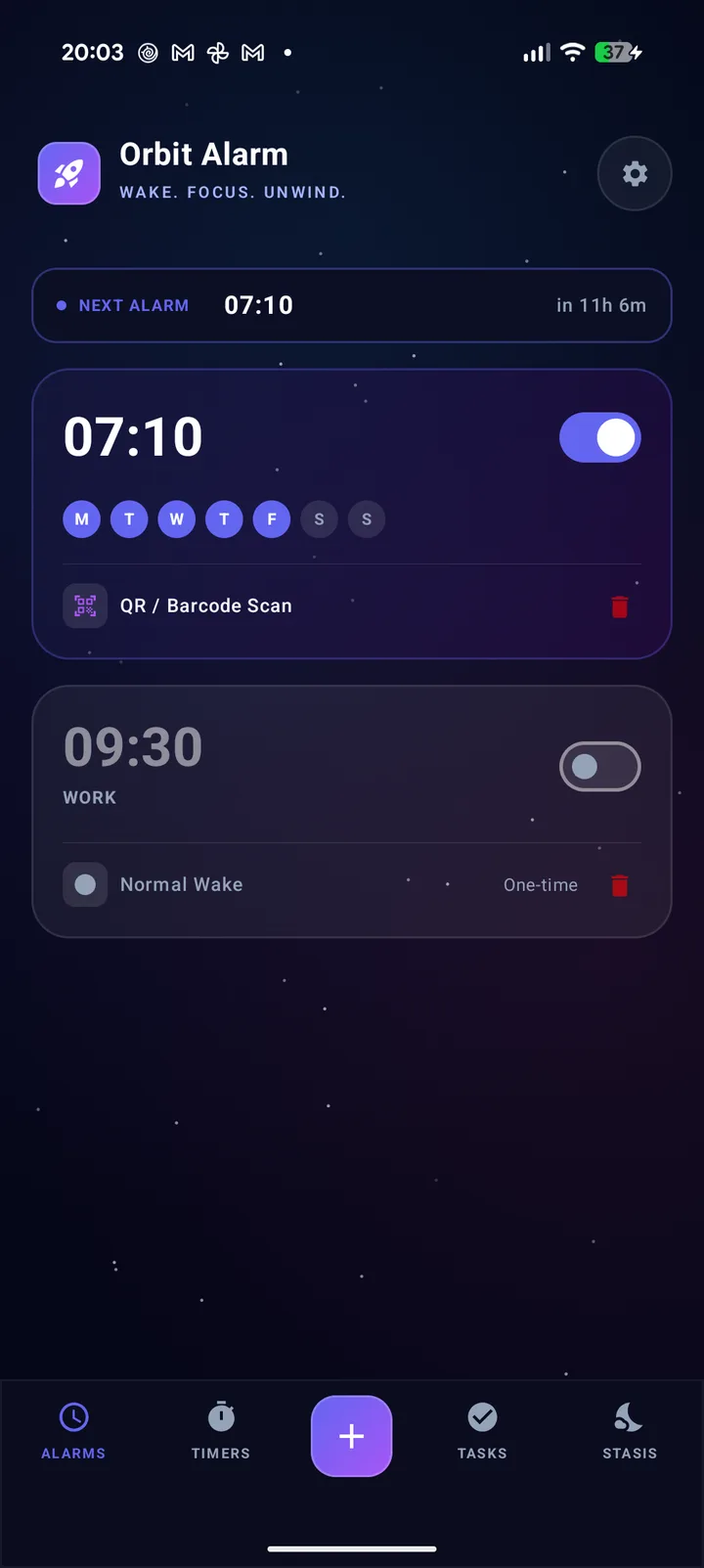
Orbit Alarm dashboard showing the next alarm and a list of scheduled alarms

Mornings

Alarms that need proof you’re awake: maths, shake, tap or a barcode scan. Volume locks to maximum, snoozes are capped at a number you choose, and once you allow it, it rings through Do Not Disturb. Give each alarm its own challenge: a tough one for the days that matter, a gentler one for weekends.
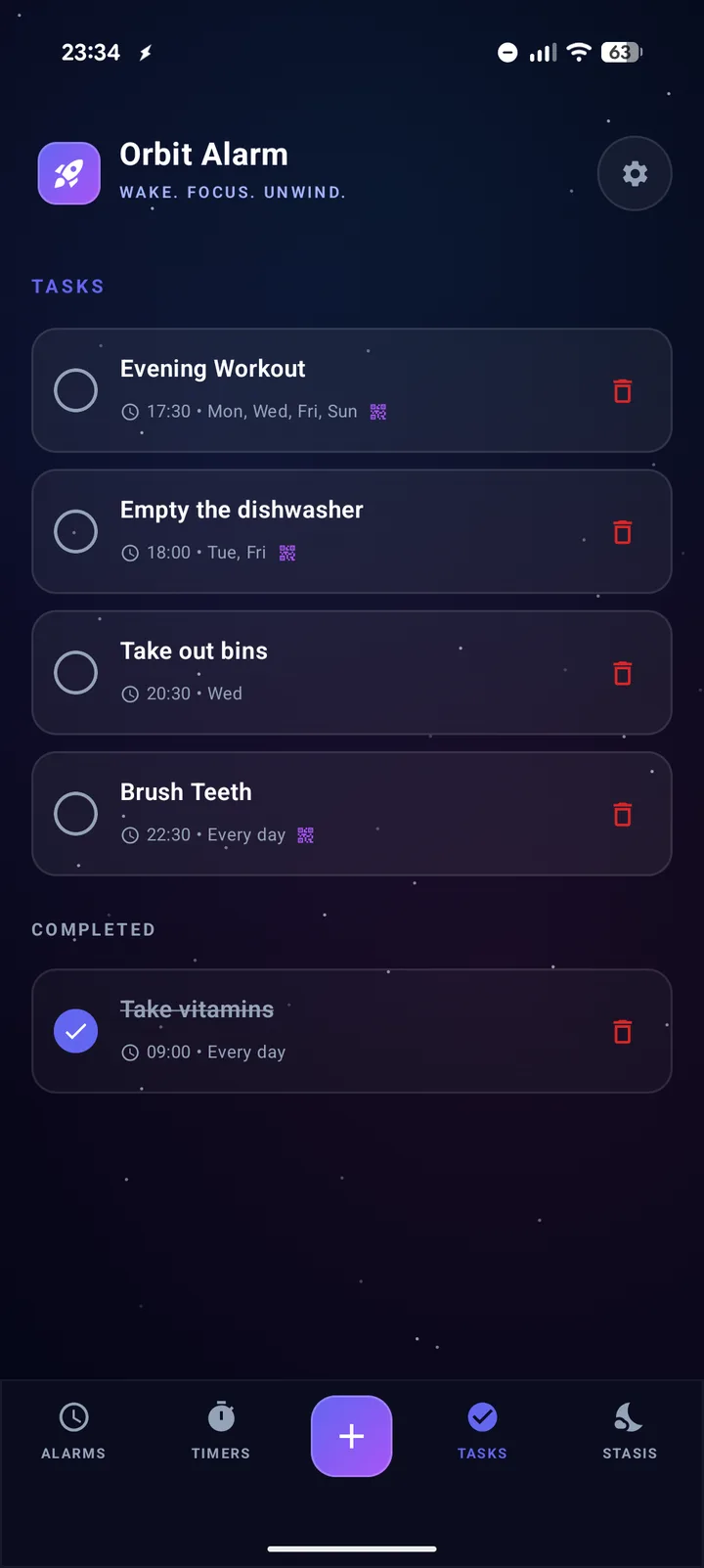
Orbit Alarm task list with scheduled reminders through the day

Tasks

Scheduled reminders through the day. Turn on “Require barcode scan” for the ones you can’t afford to skip, and they keep ringing until you’ve scanned the code where the job is, though you can always dismiss one without completing it.

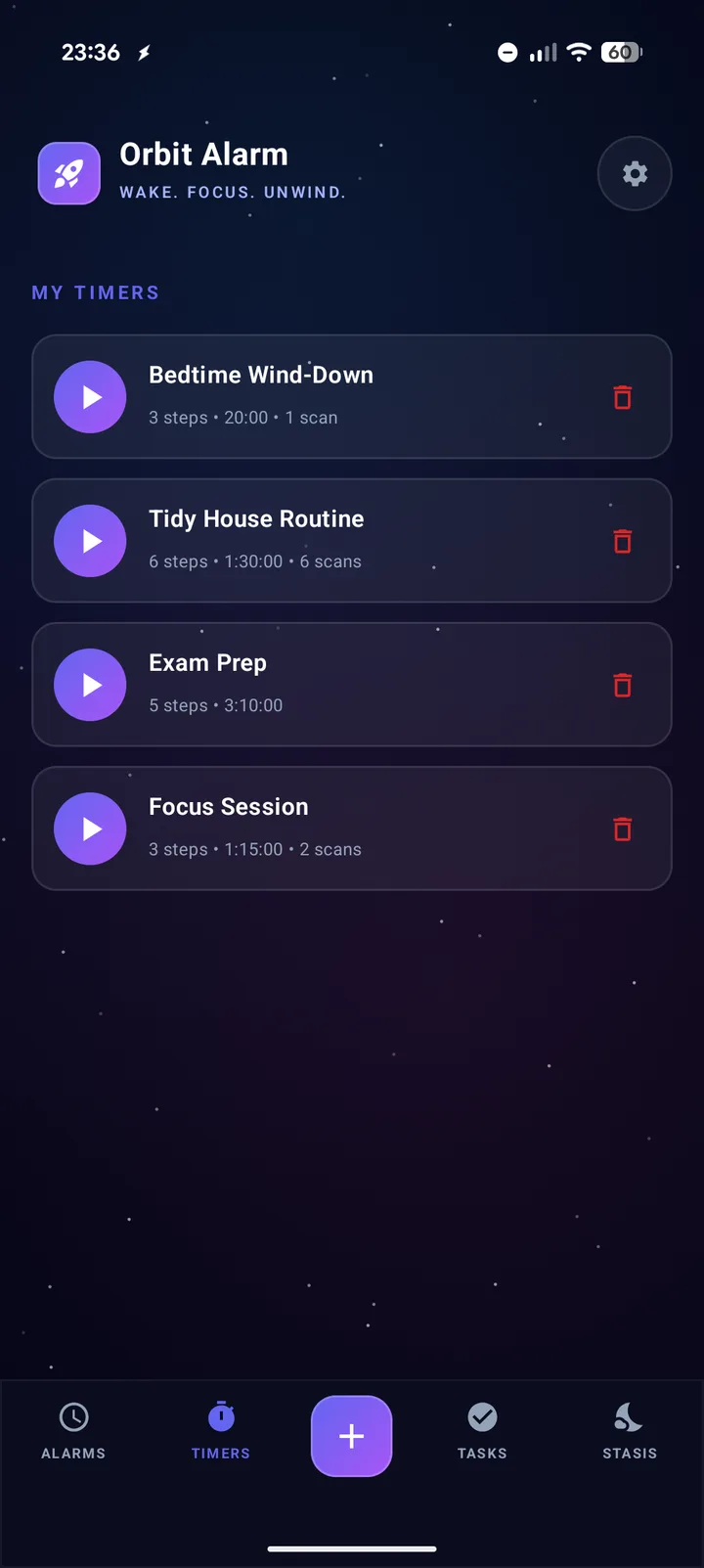
Orbit Alarm chained countdown timers for routines

Timers

If time slips away from you, chained timers bring the next step round without you having to start it: shower, dress, breakfast, out the door. You can require a scan to move from one step to the next.

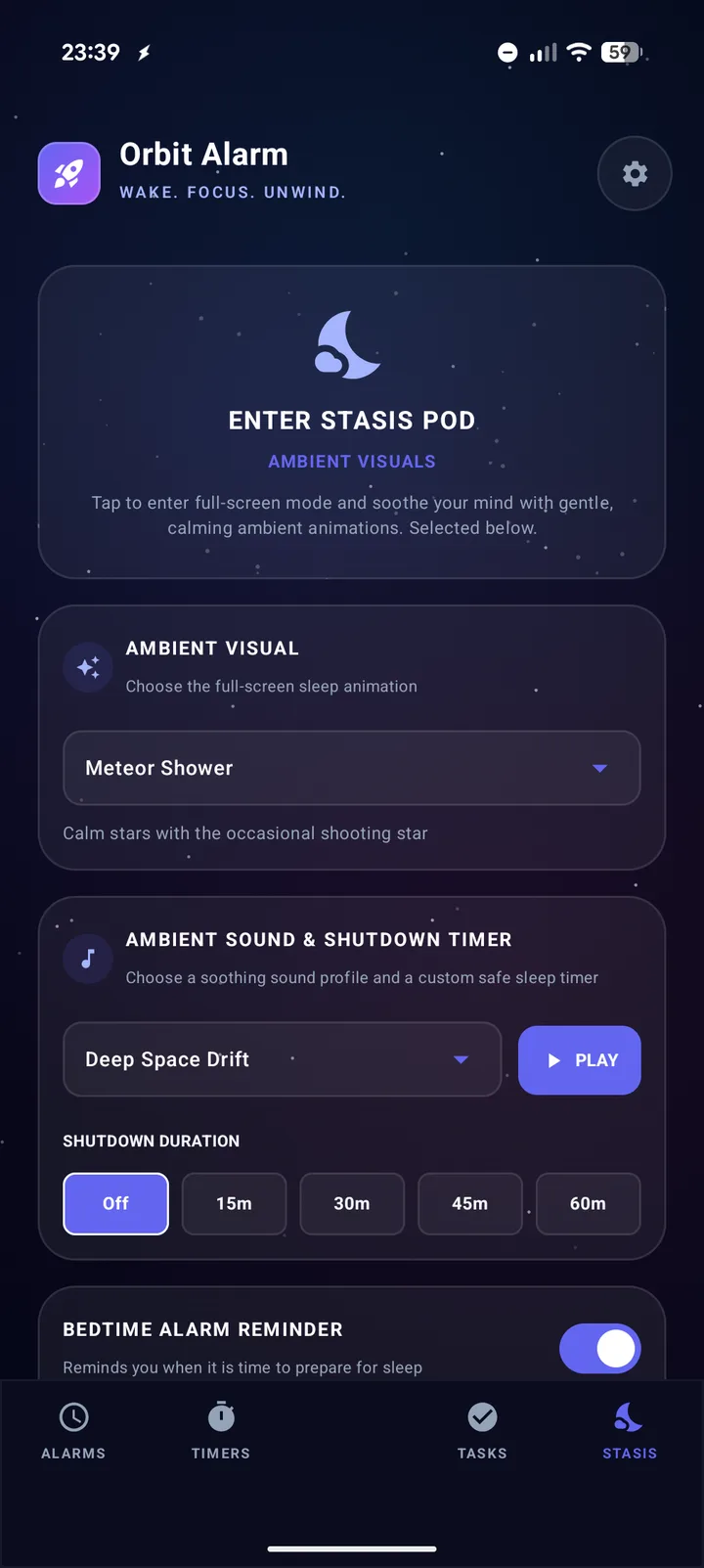
Orbit Alarm Stasis Pod wind-down settings

Night

The Stasis Pod is a full-screen wind-down space with ambient visuals, soundscapes and a sleep timer. A bedtime signal tells you when to start, and it can have its own barcode lock, so “one more video” means getting up first.

Straightforward and private

Free, no account, works offline.

Your alarms, tasks and saved barcodes stay on your phone, with no cloud sync. Orbit Alarm runs on Android 7.0 or later. Read the full Privacy Policy for details.

What Orbit Alarm is (and isn’t)

An alarm and reminder app, not a treatment.

Orbit Alarm isn’t a medical device or a treatment for ADHD or any other condition, and it doesn’t replace advice from a doctor, prescribed medication, or other support you rely on.

Frequently asked questions

Is Orbit Alarm an ADHD app?

It’s a general alarm and reminder app, but it was designed around a problem that’s common with ADHD and executive dysfunction: knowing exactly what to do and still not starting. The barcode gate is built for that.

Can I use it to remind me about medication?

Yes. You can put a barcode on your medication box and link it to a task, so the reminder only stops when you’ve walked to it. Scanning the box doesn’t record whether you took anything, and you shouldn’t rely on any single app as your only reminder for time-critical medication.

What if I really can’t get to my barcode?

Alarms have an Emergency Dismiss for real emergencies. It’s a skill-based challenge rather than a free pass, and you can switch it off for each alarm.

Do I need special barcodes?

No. Any product barcode works, such as toothpaste, a cereal box or a book. You can also print our free label sheet, which has a unique QR code for each spot in your home.

Does it cost anything?

Orbit Alarm is free on Google Play, with no account needed, and it shows ads. A one-time Remove ads purchase in Settings turns them off. There’s no subscription. It runs on Android 7.0 or later.

Make the first step a physical one.

Free on Google Play, with no account needed.