Take trade show orders on the stand, with or without Wi-Fi
Selenic Orders puts your catalogue and order pad on an Android tablet. Take the order while the buyer is standing at your stand, at their own prices, have it signed, and send it to your office at the next sync. Nothing to retype after the show.
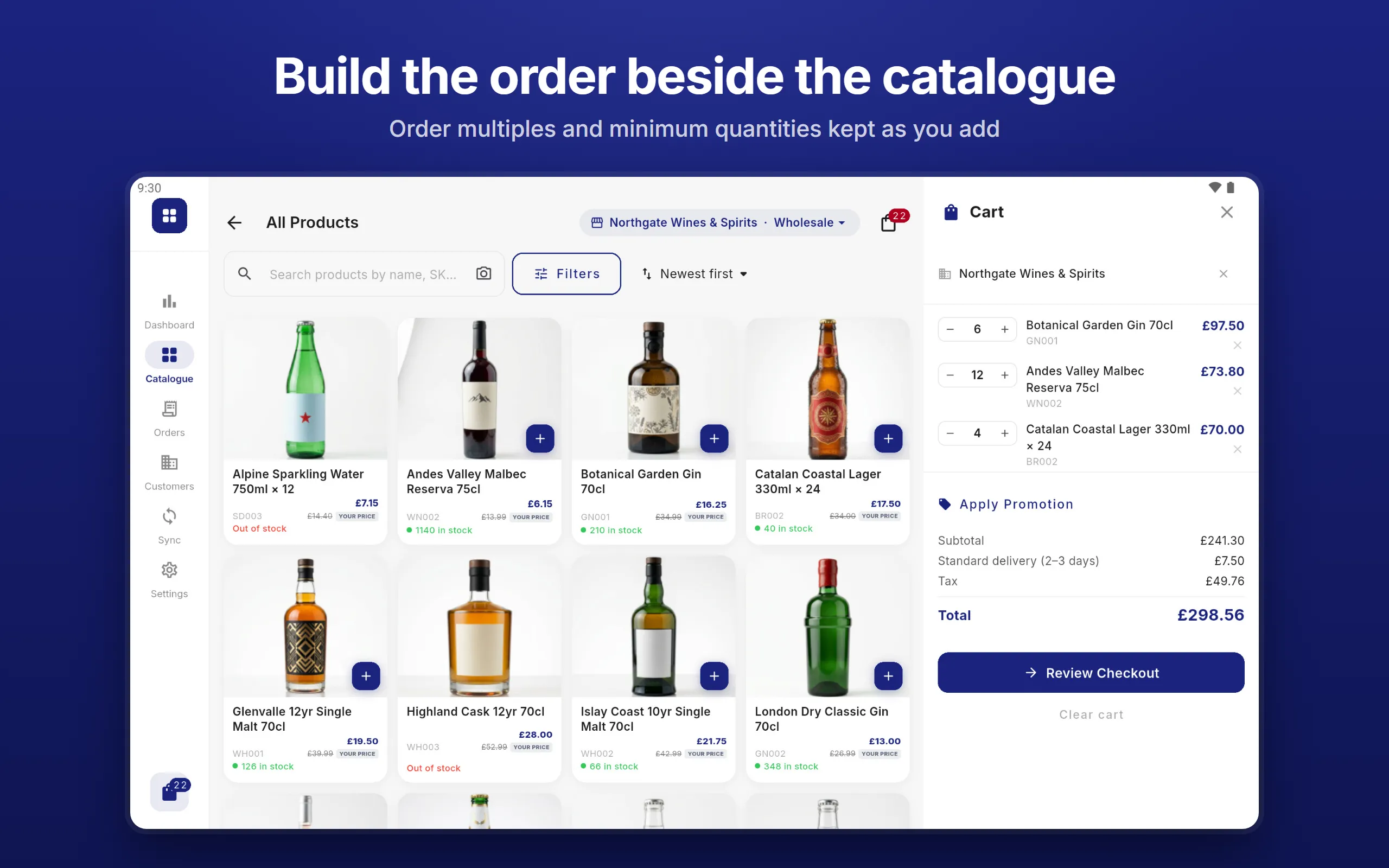
On the stand
No Wi-Fi, no problem
The whole catalogue, your customers and their prices are on the tablet. A crowded hall with no signal changes nothing: orders are saved the moment they are placed and sent at the next sync.
Find it while they watch
Search by name or SKU, browse by category, or scan the barcode on a sample with the tablet’s camera or a Bluetooth scanner.
Their prices, not list
Choose the customer and the tablet shows what they pay: their price list, volume breaks, sale prices and promotions, with minimum quantities and order multiples kept as you add.
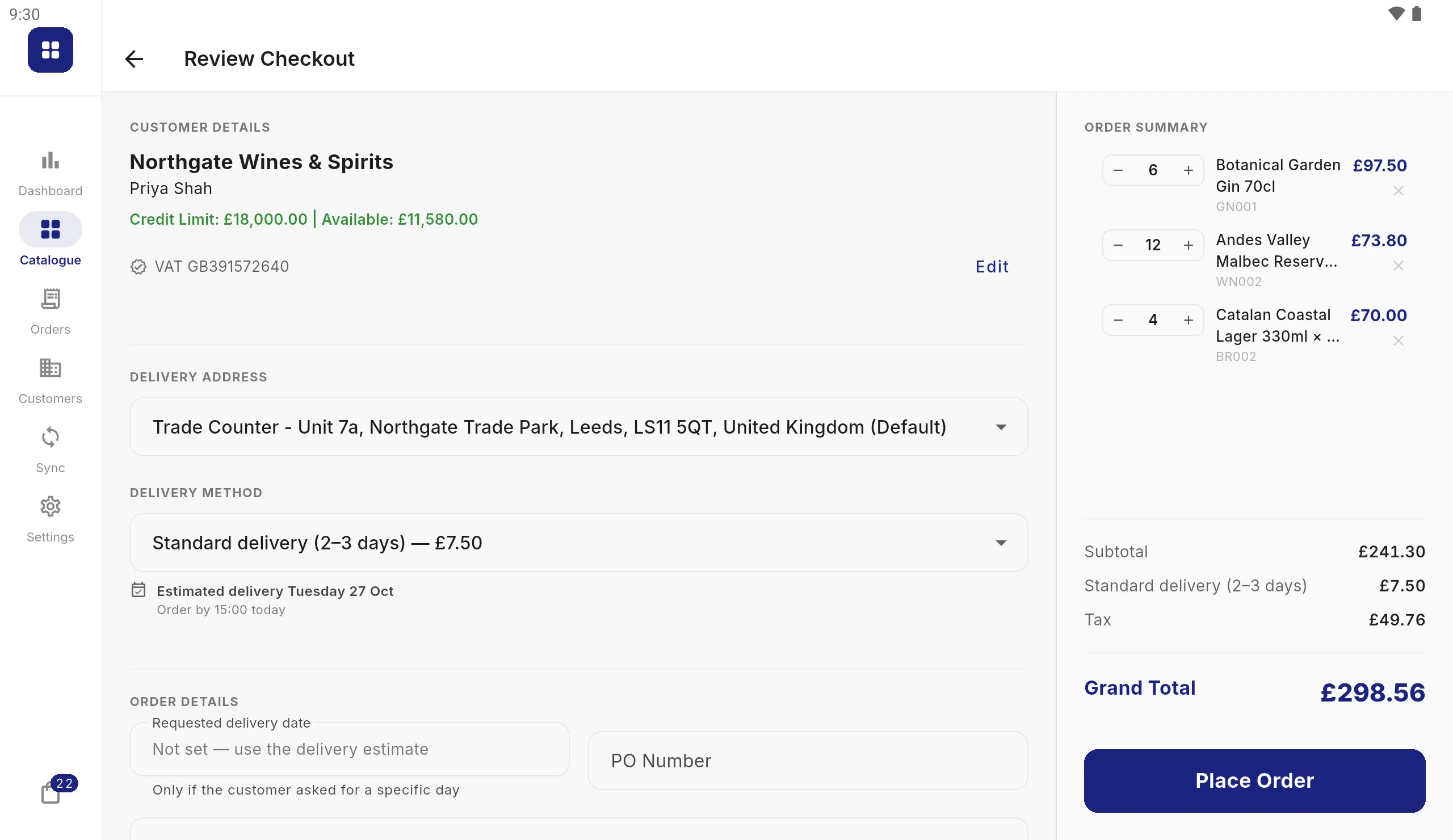
Signed before they leave
Credit limits are checked before the order is placed, the buyer signs on the screen, and the placed order opens with its number and delivery estimate. A printed copy is a tap away.
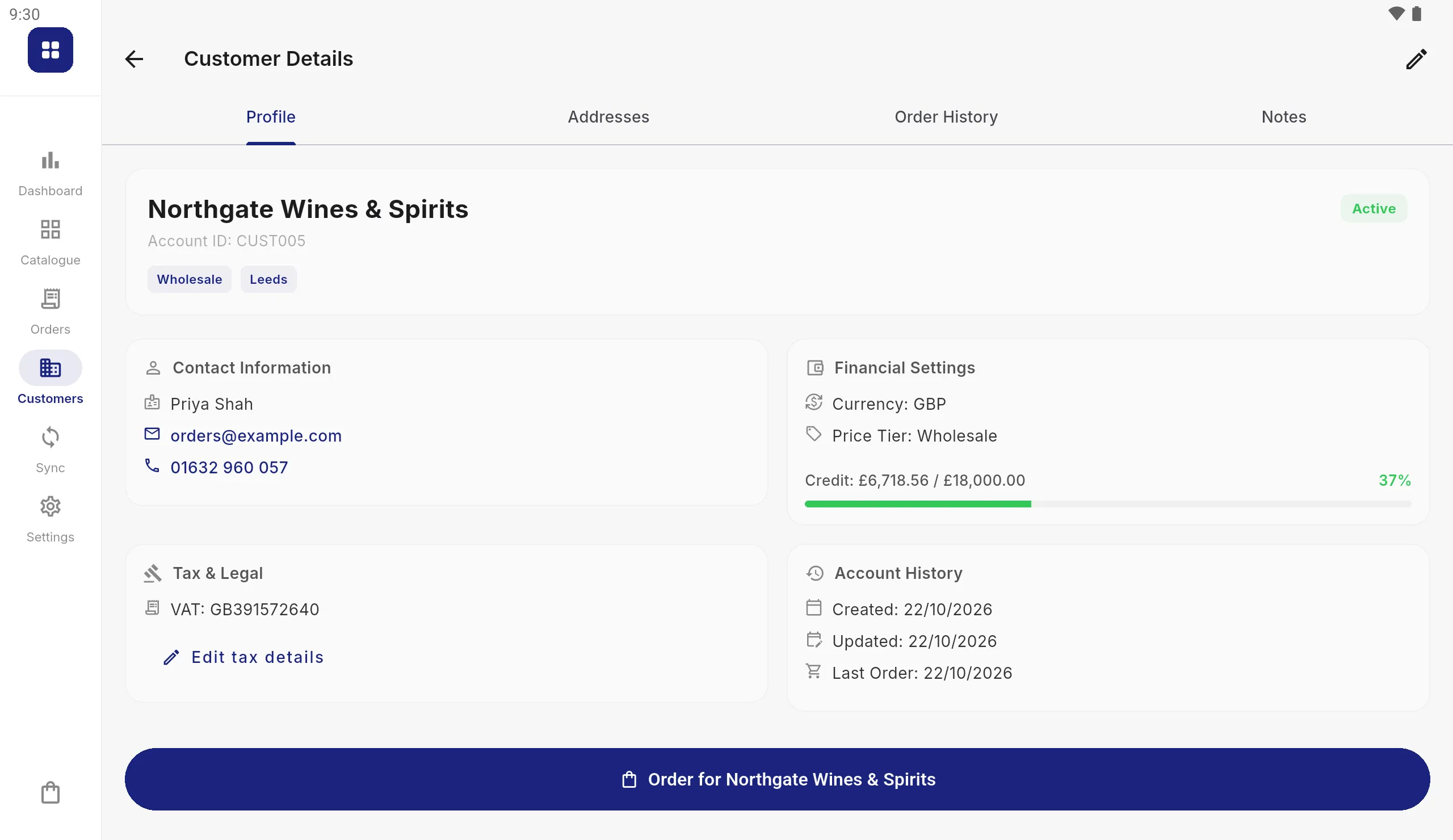
New buyers become customers on the spot
A buyer you have never sold to can be added as a customer at the stand, with their delivery address and VAT number, and their first order taken there and then. The new account goes to your office with the next sync, in the format your system reads.
Show offers, dated for the show
Set up a promotion with a start and end date that match the show, and every tablet applies it on those days and stops afterwards. Delivery charges and the day an order should arrive are worked out at checkout.
Several salespeople, one stand
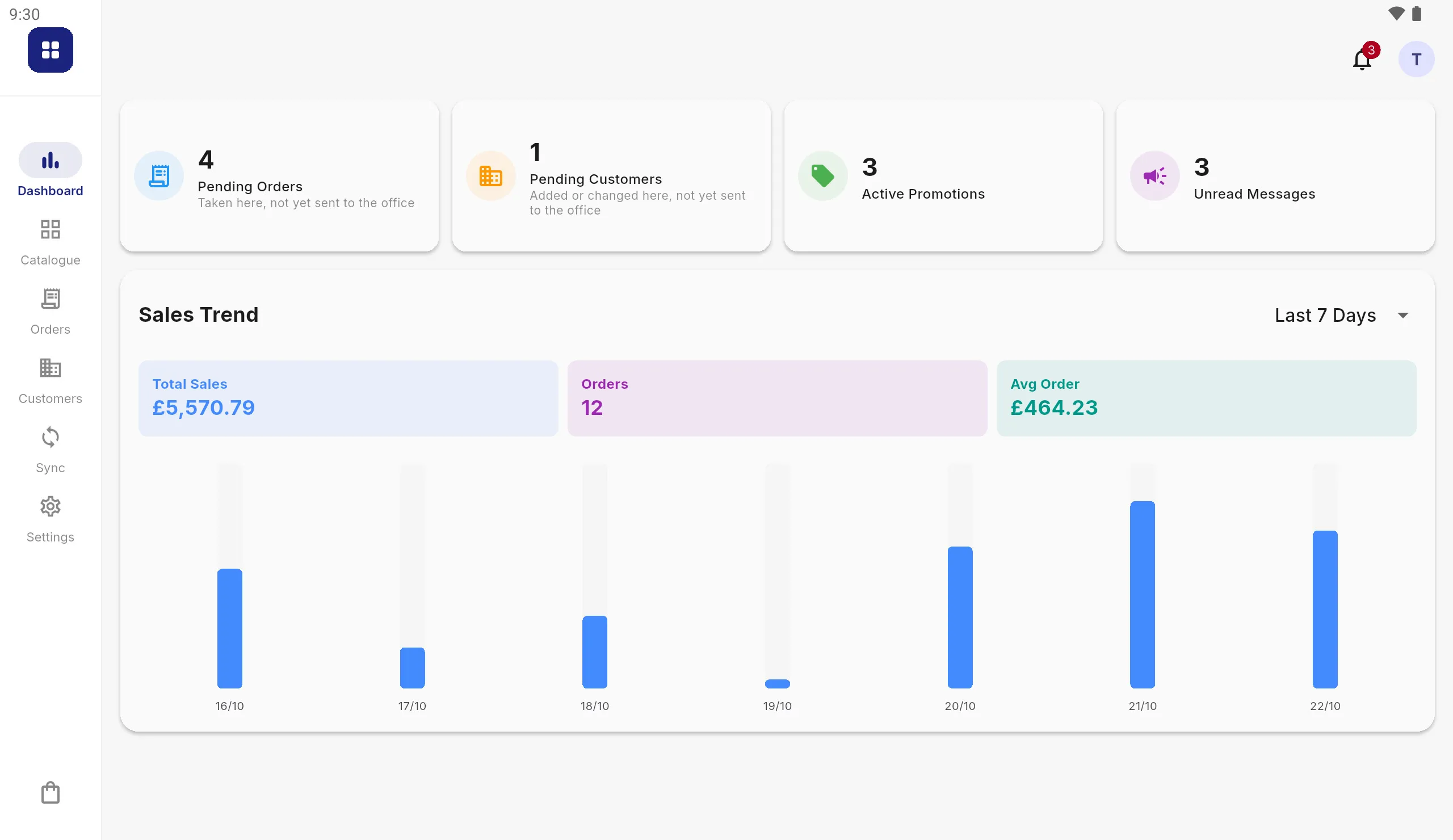
Each salesperson signs in with their own PIN, so every order carries the name of whoever took it. A tablet signs itself out when it is left, and the dashboard shows each tablet what it has taken today and what is still to send.
Before, during and after
- 1
Before the show
Sync every tablet so it has the latest catalogue, customers and prices. Run through an order in the demo first if the team is new to it.
- 2
On the stand
Take orders with or without a connection. Nothing waits on the hall Wi-Fi, and a dropped signal never loses an order.
- 3
After the show
Sync from the hotel, the van or the office. Orders and new customers go to your folder or FTP or SFTP server, or your Google Drive, ready for your system.
Trade show questions
Does it need Wi-Fi at the show?
No. The catalogue, customers and prices are stored on the tablet, so finding products, pricing and taking orders all work with no connection. Orders are sent at the next sync, or straight away with Send Now if there is signal.
Can we take an order from someone who is not a customer yet?
Yes. Add them as a new customer at the stand, with their address and VAT number, and take their order there and then. The new customer reaches your office with the next sync.
Can several salespeople share the stand?
Yes. Each tablet takes its own orders, and each salesperson signs in with their own PIN, so every order shows who took it. Stock on each tablet is the stock from its last sync, less what that tablet has sold.
Can the buyer sign the order?
Yes. The buyer signs on the screen before the order is placed, and a printed copy can be produced from the tablet.
Can we run a show-only offer?
Yes. A promotion can carry a start and end date, so one dated for the show applies on those days and stops by itself afterwards.
Does it run on an iPad?
No. Selenic Orders is an Android app, designed for Android tablets.
Can we enter everything by hand, without an ERP or accounts system?
Yes. Enter your products manually on the tablet, with a photo of each from its camera, or bring them in from a spreadsheet saved as CSV. Orders can be printed or saved as a PDF on the stand, or collected afterwards as spreadsheet files in your Google Drive.
How do orders reach our system?
As files. After a sync, orders and new customers are written to a folder on the tablet, your own FTP or SFTP server, or your Google Drive, in CSV, JSON, XML or whatever shape your system expects.
Taking show orders on paper today? See paper order forms vs an order taking app, or how to choose an order taking app.
Try it before the show
Install the app and choose "Show me how it works" to take an order on a sample wholesaler's catalogue.