Selenic Orders
Your trade catalogue and order pad on a tablet. Take orders at the customer's door, on a trade show stand or across the showroom counter, with or without signal, and they reach your office at the next sync. Connect your ERP, or enter everything by hand.
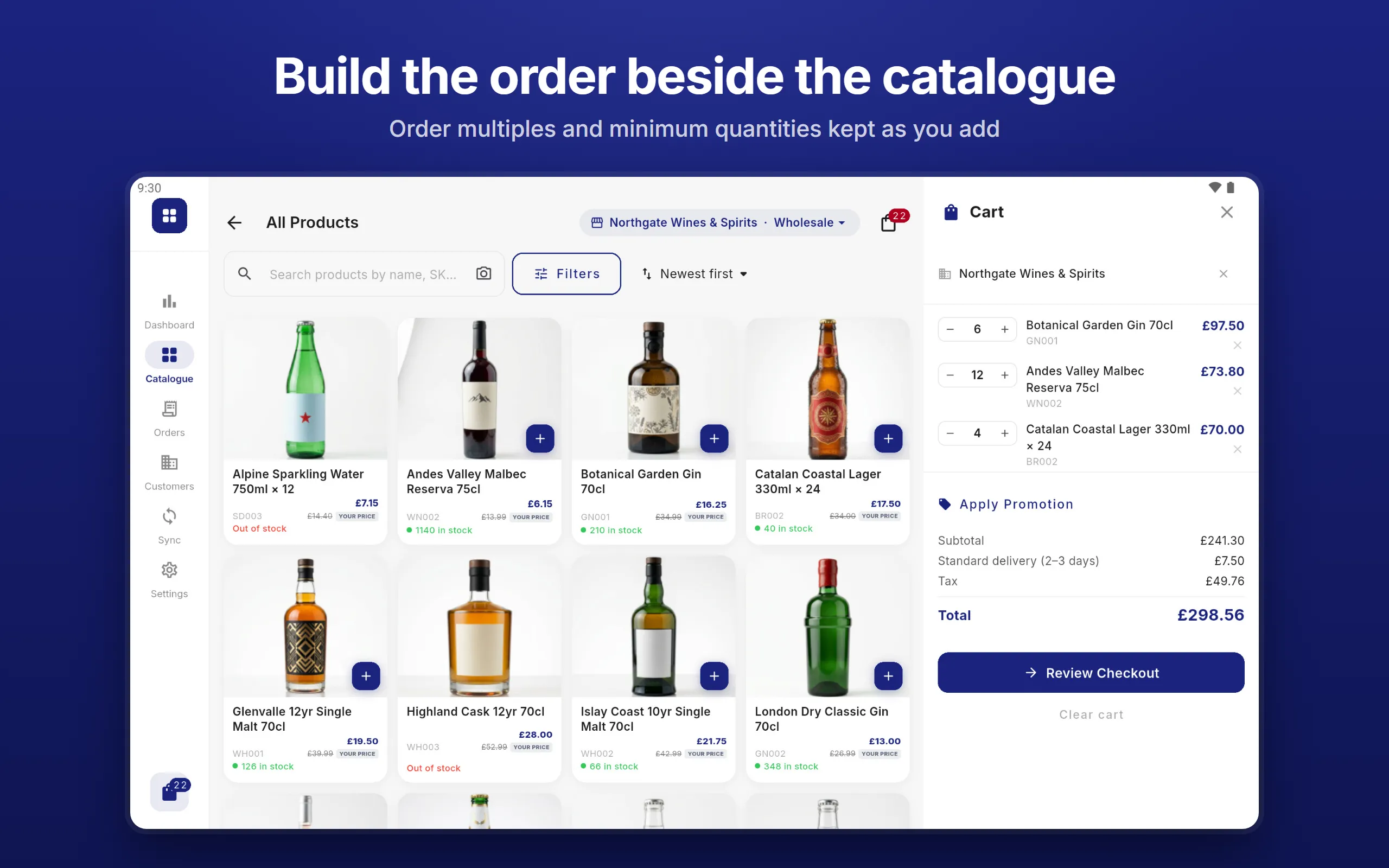
The short version
Why Selenic Orders
What you get, and what you are spared.
The price is on the page
£35 a tablet a month or £350 a year, with every feature included. No tiers, no add-on modules, no setup fee and no storage charge. Start with one tablet, add more as you need them, and cancel any time.
Taking orders the same day
Try the full demo free, with no account and no card. Subscribe, and your licence key arrives by email within a minute or two. There is no implementation project and no onboarding call to book.
No middleware
Nothing to install on your server and no second system to log in to. It reads the CSV, JSON or XML files your ERP already exports, and sends orders back in the shape your system expects. No ERP at all? Enter everything by hand.
Your data never passes through us
Your catalogue, customers and orders go between your tablets and your own server or folder, and orders can also go to your Google Drive. We never hold them. The app contacts us only to keep each tablet’s licence current.
Offline all the time
Not an offline mode: the whole catalogue, every customer, their prices and stock are on the tablet. It keeps working for 30 days without reaching us, and an order in progress survives the app being closed.
Trade pricing and tax
A price list for each customer, quantity breaks, pack sizes and dated offers. Tax worked out line by line from your own tax codes, with zero-rating for customers abroad who have a VAT or EORI number on file.
Inside the app
Built around the order, from first product to signature
Six screens from the app with the sample catalogue loaded. Tap any of them to see it full size.
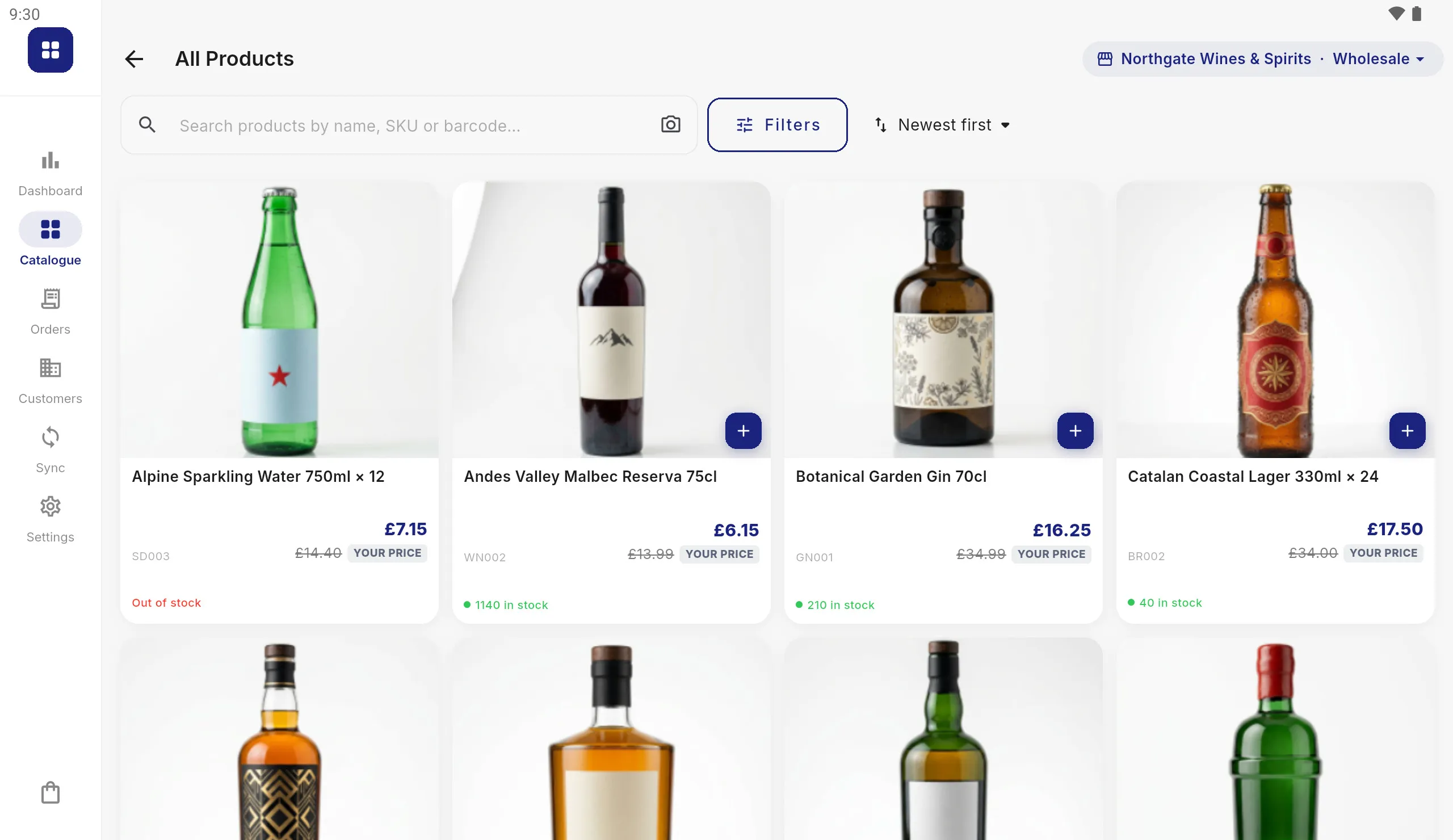
Each customer’s own prices
Price lists, volume breaks, sale prices, promotions and minimum quantities are applied as the rep builds the order, so the price on screen is the price that customer pays.
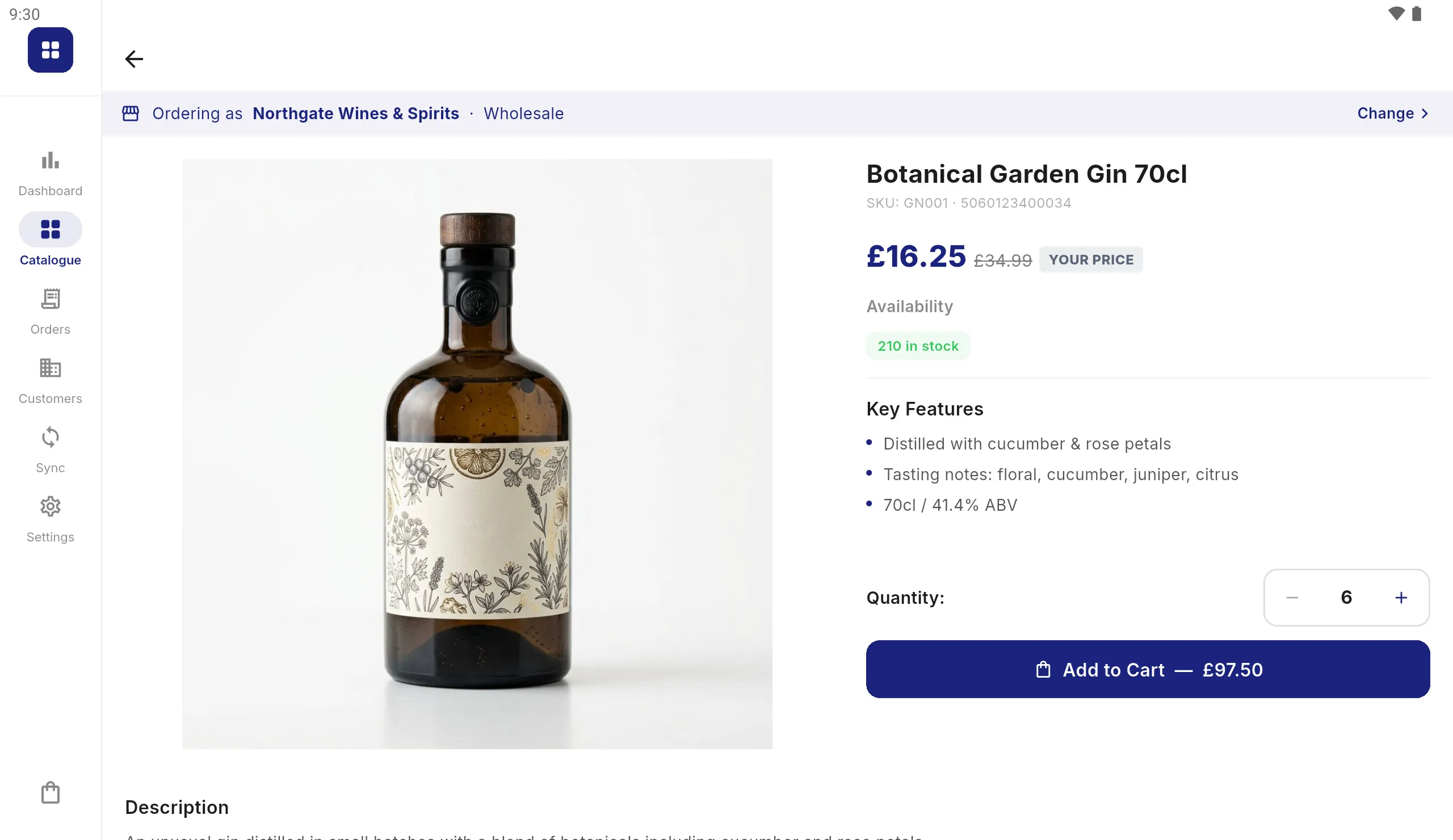
Everything the rep needs to sell it
Big product photographs, key features, the customer’s contracted price against list, and the stock that is left once this tablet’s own orders are counted.
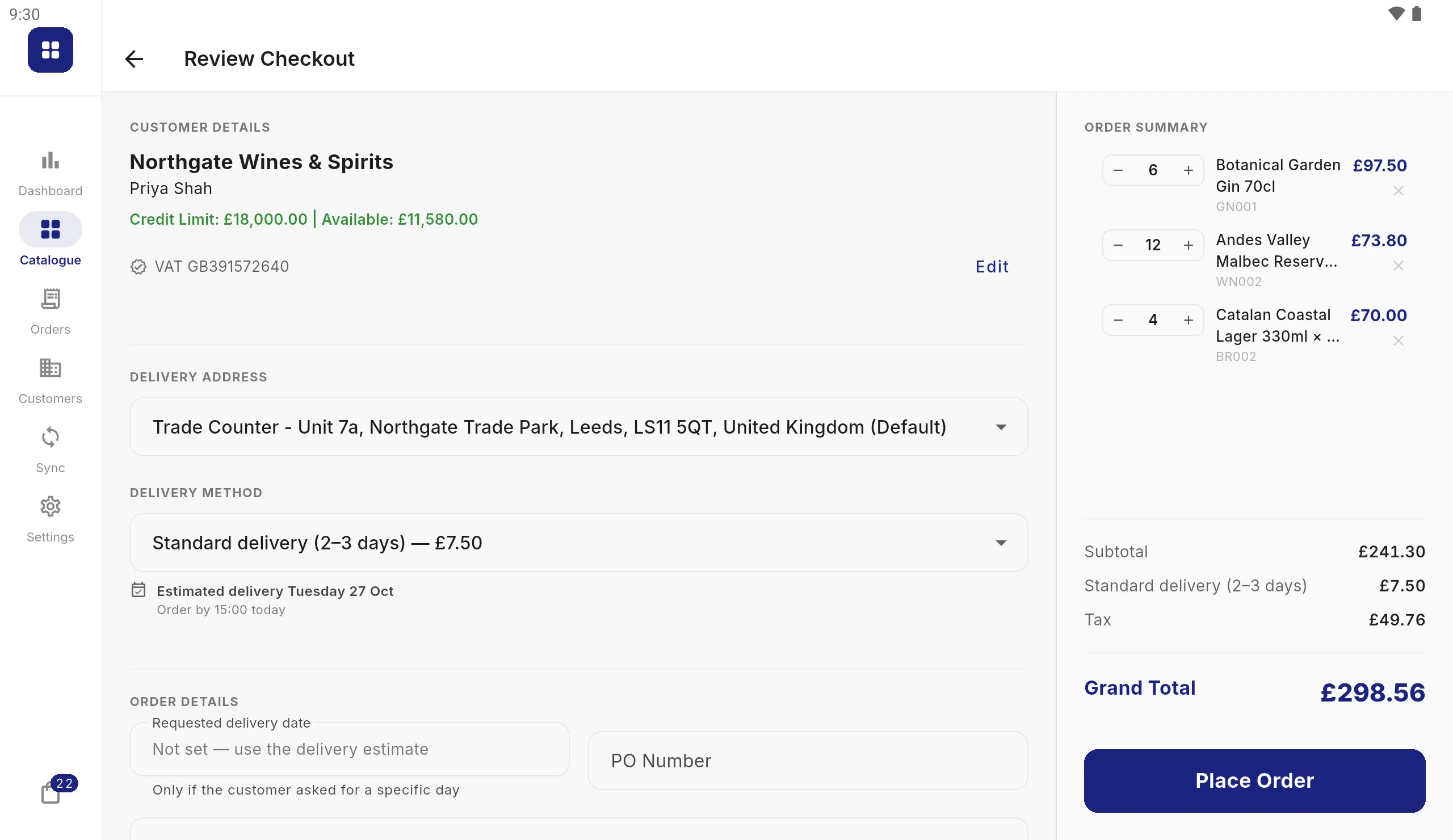
Tax and delivery, worked out
Tax is calculated line by line at the rates you set for each country, including zero-rated cross-border sales for customers with a VAT or EORI number. Delivery charges and the day it should arrive are shown at checkout.
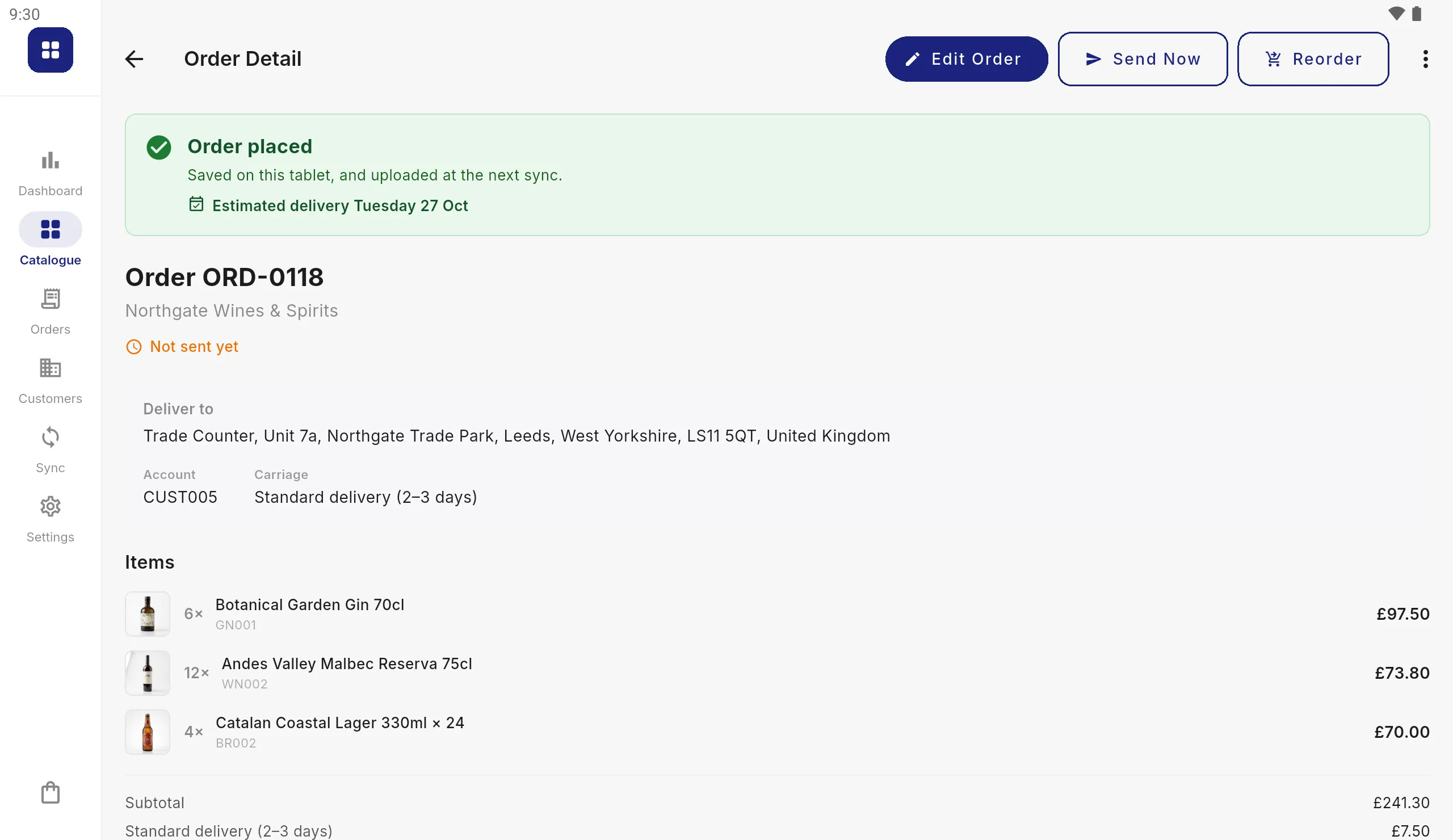
Signed at the counter
Credit limits are checked before an order is placed, the customer signs on the screen, and the placed order opens with its number and delivery estimate, ready to show them. A printed copy is a tap away.
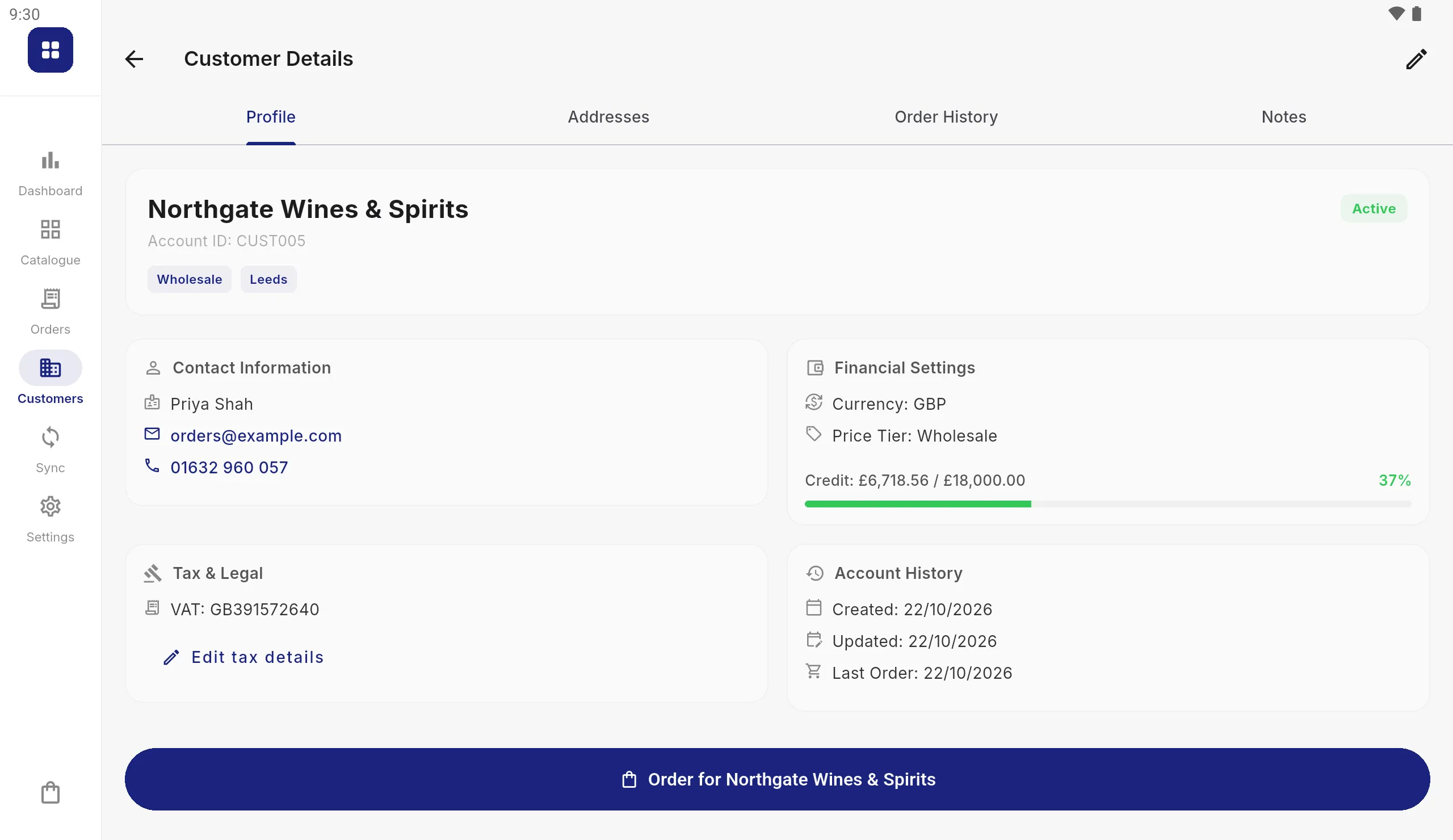
Every account in the rep’s hand
Contacts, delivery addresses, credit used and tax status for every customer, with the orders taken for them on that tablet. Add a new customer on the spot and they reach your office with the next sync.
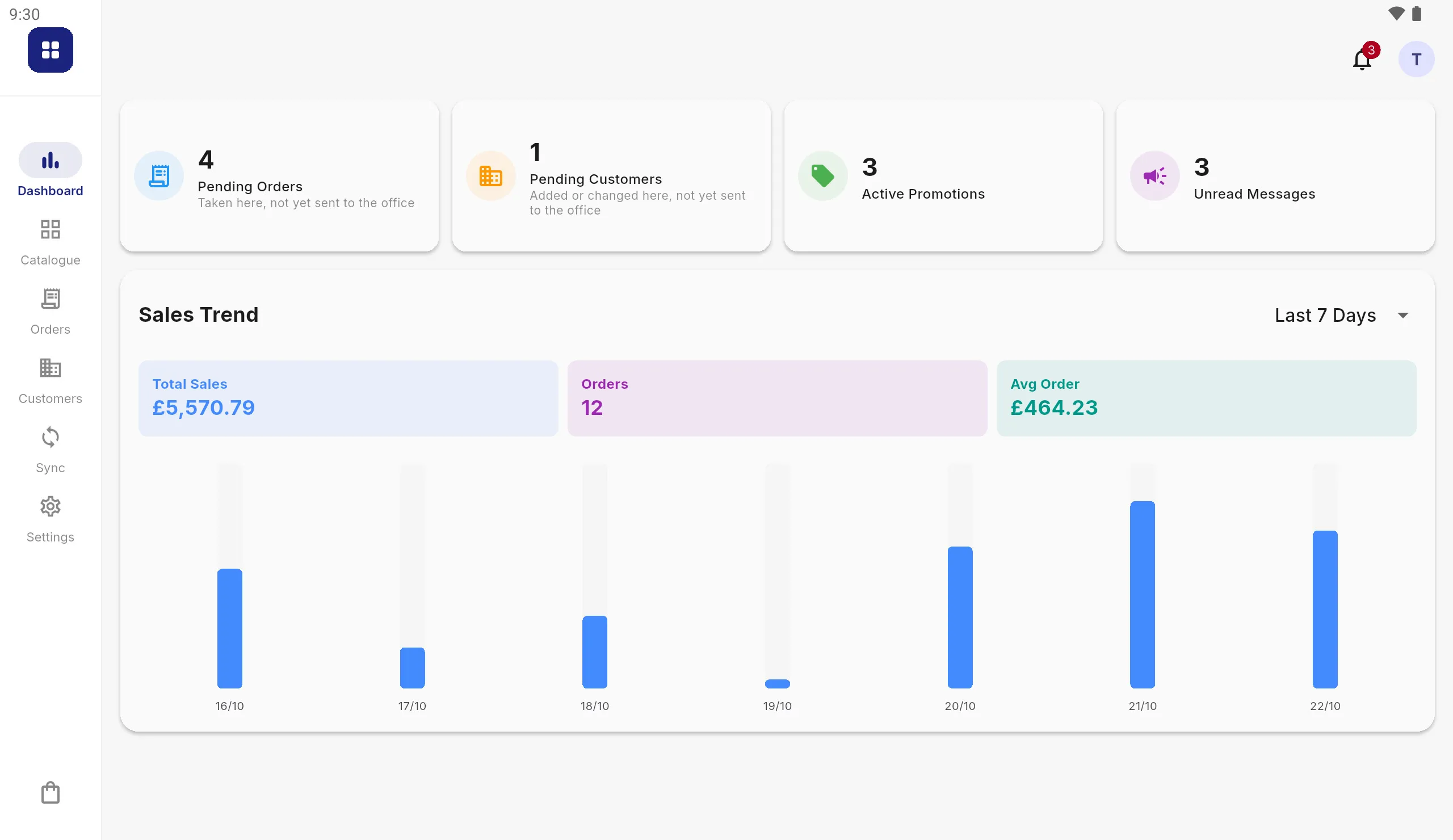
The day’s work at a glance
A dashboard of the day’s orders, what is still waiting to be sent and how the week is selling, with messages from the office on every rep’s tablet.
Who it is for
An order taking app for wherever you sell
For wholesalers, distributors and manufacturers whose orders are taken face to face.
Field sales reps
The whole round in one tablet: every customer’s prices and credit, and the orders taken on that tablet. An order taken at their door goes to your office at the next sync.
Trade shows and exhibitions
Take orders on the stand without relying on the hall Wi-Fi, add a new buyer as a customer there and then, and have them sign before they walk on.
Showrooms and trade counters
Walk the customer through the range in big product photographs, scan a barcode to find a product, and build the order at their prices as you go.
Account managers and sales teams
Each salesperson signs in with their own PIN, so every order carries the name of whoever took it. Add tablets as the team grows; a new one joins by pointing it at the same sync folder.
Every day on the road
The small things a rep notices
Find any product fast
Browse by category, filter and sort, search by name or SKU, or scan a barcode with the tablet’s camera or a Bluetooth scanner.
Reorder in one tap
Repeat a customer’s previous order in one tap, or amend an order that has not been sent yet.
Set up once, then hands-off
A setup checklist walks you through your first sync, and administrators can lock settings for every tablet from the sync folder.
Questions about Selenic Orders
Does Selenic Orders work offline?
Yes. The catalogue, customers and their orders are stored on the tablet, so finding products, pricing and taking orders all work with no signal. Orders are sent at the next sync, or straight away with Send Now when there is a connection.
Do we need an ERP or accounts system?
No. Products and customers can be entered by hand on the tablet, or brought in from a spreadsheet saved as CSV, and orders printed or collected as spreadsheet files. If you do have a system, it connects through CSV, JSON or XML files.
Which devices does it run on?
Android tablets. It is designed for a tablet screen, not a phone, and is not available for iPad or iPhone.
How do orders reach our office?
As files, written to a folder on the tablet, your own FTP or SFTP server, or your Google Drive, in CSV, JSON, XML or whatever shape your system expects. An order can also be printed or saved as a PDF on the spot.
Does Selenic Systems see our customers or orders?
No. Your catalogue, customers and orders stay on your tablets and your own systems. The app contacts us only to keep each tablet's licence current, sending the licence key and a random id for the tablet.
Can several salespeople use it?
Yes. Each signs in with their own PIN, so every order shows who took it, and several tablets can share one setup. Every order number carries its tablet's ID, so two tablets never send the same number.
Can we try it before connecting anything?
Yes. Open the app and choose Show me how it works to load a sample catalogue, customers and orders. Browsing and trying your own product files work straight away; syncing and sending orders need a licence key.
Still deciding? See how to choose an order taking app, or, if you take orders on paper today, paper order forms vs an order taking app.
For whoever sets it up
Try it before you connect anything
Open the app and choose "Show me how it works" to load a sample wholesaler's catalogue, customers and orders. When you are ready, the documentation covers setting up the tablets, connecting your ERP, every column the importer recognises, and the templates that shape what goes back out.
See if it fits your team
Tell us how your team takes orders today and we'll take it from there.